
COMPUTER GENERATED IMAGERY
9
1
3 months
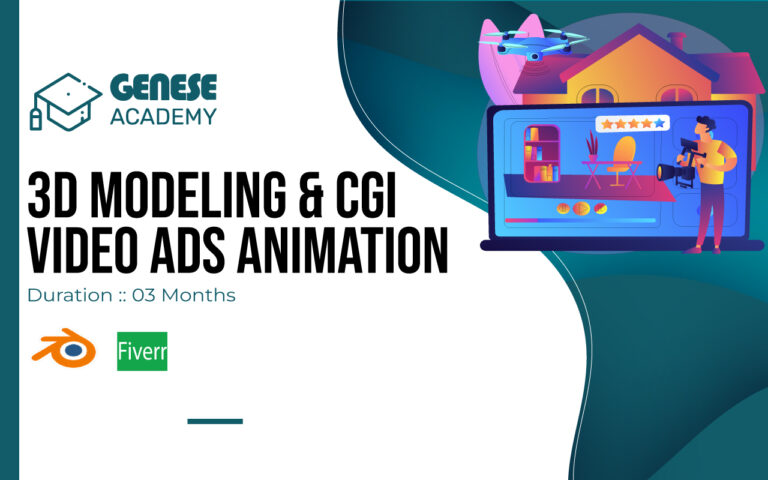
Computer Generated Imagery (CGI) – General Overview
What is COMPUTER GENERATED IMAGERY?
Computer Generated Imagery (CGI) is the process of creating visual content using computer software to produce images, animations, and effects. It allows designers and artists to generate realistic or stylized visuals that may be difficult or impossible to capture in real life.
How COMPUTER GENERATED IMAGERY Works
CGI works through a combination of techniques such as 3D modeling, texturing, lighting, rigging, animation, and rendering. Artists first create digital models, apply textures and materials, set lighting, and then render the final image or animation to achieve high-quality results.
Tools and Software Used
Professionals use advanced tools like Autodesk Maya, Blender, Cinema 4D, 3ds Max, and Unreal Engine for CGI production. These tools help in creating detailed environments, characters, and visual effects with precision and creativity.
Applications of COMPUTER GENERATED IMAGERY
CGI is widely used in films, video games, advertisements, architecture, product visualization, and virtual reality. It plays a major role in creating special effects (VFX), animated movies, realistic simulations, and immersive digital experiences.
Importance of COMPUTER GENERATED IMAGERY
In today’s digital world, CGI is essential for modern entertainment and marketing industries. It helps businesses create visually stunning content, enhances storytelling, and allows creators to bring imagination to life with unlimited possibilities.
Learning at Pakistan No.1 IT Training Institute
At our Pakistan No.1 IT Training Institute in Arfa Tower, Lahore, students receive professional and practical training in CGI. We focus on hands-on projects, industry-standard tools, and real-world techniques to prepare learners for freelancing, jobs, and careers in animation, film, gaming, and digital media.
Conclusion
Computer Generated Imagery is a powerful and in-demand skill that combines creativity with technology. With proper training and practice, students can build strong portfolios and achieve success in the global CGI and visual effects industry.
- Master CGI Fundamentals & Blender Workflow to build a strong foundation in 3D modeling, topology, and realistic product visualization.
- Learn materials, UV mapping, lighting, and camera animation to create cinematic and professional-grade advertisements.
- Gain expertise in physics simulations (rigid body, fluid, cloth, particles) to produce dynamic and realistic CGI product ads.
- Master advanced tools like Geometry Nodes and After Effects integration for complete production and compositing workflows.
- Build real-world CGI ad projects & portfolio to develop industry-ready skills for 3D advertising and animation careers.
- Aspiring CGI artists and 3D designers who want to start their journey in modern product visualization and cinematic advertising.
- Students and beginners who are passionate about learning Blender, modeling, lighting, animation, and simulations from scratch.
- Freelancers and creators who want to build high-quality 3D product ads and motion graphics for clients and brands.
- Developers and designers who want to upgrade their skills in CGI production, physics simulations, and After Effects integration.
- Entrepreneurs and visual storytellers who want to understand modern 3D advertising workflows and create impactful digital content.
Meet Our Instructor

MUHAMMAD YASIR
Mr. Muhammad Yasir is a CGI Ads Instructor with advanced expertise in creating high-impact visual advertisements using cinematic 3D and motion design techniques. He specializes in product visualization, visual effects, compositing, and storytelling for commercial campaigns. His skill set includes end-to-end ad production workflows, from concept development to final rendering, with a strong focus on realism, creativity, and brand impact. He delivers practical, project-based training that enables learners to produce professional, industry-level CGI advertisements for modern digital platforms.
Skills Covered
- 3D Modeling
- 3D Modeling
- Topology Design
- Topology Design
- Material Shading
- Material Shading
- UV Mapping
- UV Mapping
- Lighting Setup
- Lighting Setup
- Camera Animation
- Camera Animation
- Physics Simulation
- Physics Simulation
- Geometry Nodes
- Geometry Nodes
- Motion Graphics
- Motion Graphics
Tools Covered

Full-stack Course Syllabus
- Blender Interface & Navigation
- Viewport Movement Controls
- Object Transform Tools
- Selection Modes & Types
- Pivot, Origin & Orientation
- Snapping & Precision Workflow
- Edit Mode Modeling Tools
- Mesh Editing Operations
- Topology & Clean Geometry
- Modifiers, Sculpting & Scene Setup
- Shader Editor Basics
- Principled BSDF Material
- Multi-Material Assignment
- Material Types Creation
- UV Seams & Unwrapping
- UV Editor Workflow
- Texture Label Application
- UV Layout Export
- Product Modeling Practice
- Materials & Environment Setup
- Lighting & Animation Prep
- Light Types (Point, Sun, Spot, Area)
- HDRI Lighting Setup
- Three-Point Lighting
- Product Mood Lighting
- Keyframes & Timeline
- Object & Camera Animation
- Transform Animations
- Graph Editor Control
- Camera Composition
- Depth of Field & Focus
- Render Settings Setup
- Cycles vs Eevee Rendering
- Animation Rendering Output
- Rigid Body Physics & Collisions
- Product Drop & Explosion Sim
- Mantaflow Fluid Simulation
- Liquid Pour & Splash Effects
- Smoke Simulation Setup
- Fluid + Shader Integration
- Particle Effects (Dust, Bubbles, Glow)
- Cloth Simulation & Fabric Motion
- Product Visualization Project
- Lighting, Camera & Rendering Setup
- BlenderKit Asset Library
- 3D Model & Texture Import
- Essential Add-ons (Node Wrangler, Loop Tools)
- Asset Management Workflow
- Geometry Nodes Introduction
- Node-Based Modeling System
- Displacement & Instancing
- Procedural Environments Creation
- After Effects Interface Basics
- Layers, Keyframes & Effects
- Motion Graphics Fundamentals
- Advanced Tools & Properties
- Composition Setup
- Camera Tracking Workflow
- AE to Blender Export
- CGI & Live Footage Matching
- Motion Data Import Integration
- Beauty Product CGI Project
- AE to Blender Footage Import
- Physics-Based Product Simulation
- Texturing & Shading Workflow
- Animation & Motion Setup
- Tech Product CGI Project
- Product Design & Visualization
- Scene Lighting Setup
- Environment Composition
- Final Rendering Output
Job Success Stories
- Success Story

Ayesha Web Developer Success Story: How She Built a Professional Tech Career with Genese Academy
Ayesha Khalid Success Story — From Beginner to Professional Web Developer at Genese Academy Lahore
- Full Stack Web Development
- 1000$
- Success Story

Ali Hassan
Social Media Manager Success Story: How Ali Earns $500 Monthly Social Media Manager Success Story
- Digital Marketing
- 500 USD
FAQS
No. The course starts from core CGI fundamentals and gradually advances into 3D modeling, rendering, and professional production workflows, making it suitable for beginners.
Yes. A course completion certificate will be awarded after successful evaluation of your final project and performance.
No need to worry. All sessions are recorded and shared with participants, allowing you to resume learning at your convenience or revisit concepts anytime
Yes. The course equips students with in-demand CGI skills, enabling them to work on product visualization, animation projects, freelance assignments, or studio-based roles.
Genese Academy offers expert-led training, hands-on project-based learning, and real production workflows to help students build strong portfolios and prepare for professional CGI careers.
The course emphasizes hands-on implementation, with live demonstrations and guided practice focused on real-world CGI workflows, ensuring strong conceptual clarity and practical expertise.